The default is still your user account
GitHub made local sandboxing for Copilot generally available on 7 October 2026 across Copilot CLI, the Copilot app and VS Code sessions that use Agent Host. The important change is not that an agent can run commands locally. It is that those commands can now run behind a policy that limits what they may read, change and reach.
That distinction matters because GitHub's sandbox documentation says local sandboxing is off by default. Without it, shell commands run with the same access as the developer account. They can reach every path, network and credential that the signed-in user can reach.
An AI coding agent therefore does not become contained because the product offers a sandbox. It becomes contained when the effective policy is enabled, enforceable on that machine and narrow enough for the task.
The boundary has four doors
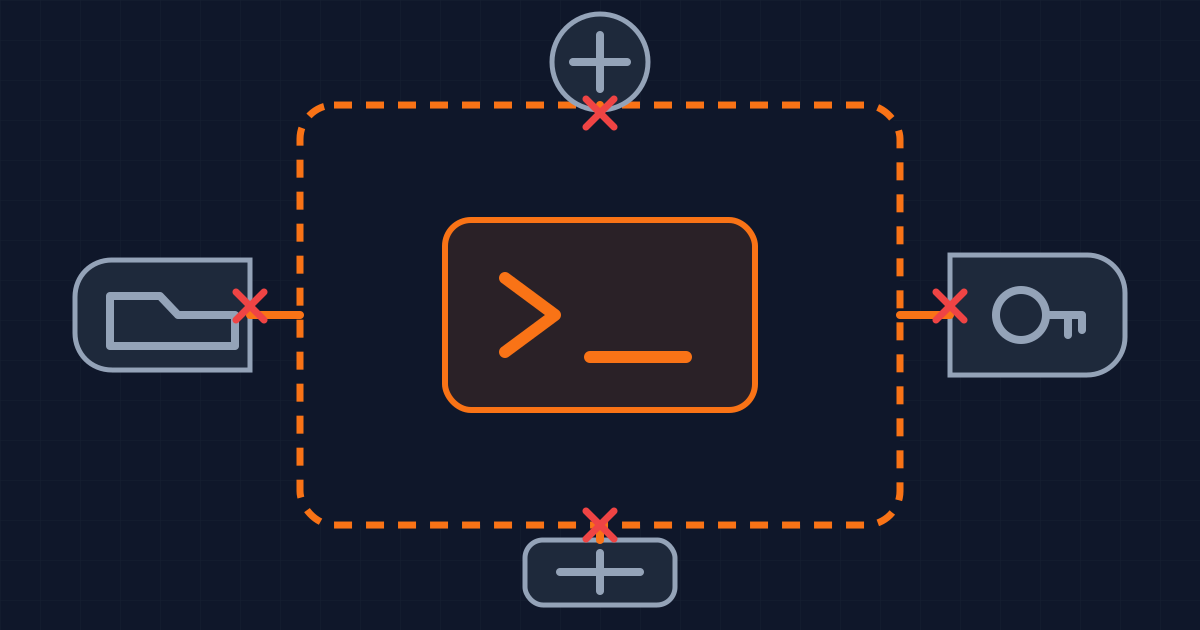
The release exposes controls for four useful classes of capability: filesystem paths, network destinations, credentials and subprocesses.
Start with the filesystem. A code agent usually needs read and write access inside one working tree, read access to a package cache and no access to unrelated home-directory data. That should be a path policy, not a prompt instruction. “Do not open the credentials file” is behavior guidance. A denied path is an execution boundary.
Network policy needs the same treatment. Dependency installation may require a package registry, while a test suite may need only localhost. A broad internet grant also gives a compromised tool or injected instruction a route to send data elsewhere. Allow the hosts the workflow actually needs, then make an exception visible when the task exceeds that list.
Credentials are a separate decision. Git and GitHub CLI credentials can turn a local edit into a remote write. Most code generation and testing does not need them. Keep them outside the sandbox until a distinct, reviewable step needs authenticated access.
Finally, decide what happens to local MCP and language servers. GitHub documents that supported local services can run inside the sandbox, while remote MCP servers are never sandboxed by the local execution boundary. A tool endpoint on another machine needs its own authorization and isolation model.
The model is not the trust boundary. These four policies are.
The same policy uses different machinery
Copilot's local sandbox is powered by Microsoft eXecution Container, or MXC. MXC translates a common policy into operating-system controls: Seatbelt on macOS, bubblewrap on Linux and supported Windows containment mechanisms.
That common policy does not make the platforms identical. GitHub describes local sandboxing as lighter-weight process and filesystem containment, not a separate virtual machine or container. It also documents platform-specific network behavior. On macOS and Linux, host rules can force outbound traffic through a local proxy. On Windows, those rules depend on programs honoring proxy settings, so they do not offer the same protection against direct connections.
Treat the policy file as portable intent and the selected backend as the actual control. Record both in diagnostics. A green check that merely says “sandbox enabled” is weaker than evidence that the current host enforced the paths and network rules the workflow requires.
Fail closed when the boundary is required
Unsupported hosts create an operational choice. Copilot CLI can preserve the saved preference but turn sandboxing off for the current session when the host cannot support it. The user receives a notice, but commands can then run without the boundary.
For work where sandboxing is a requirement, GitHub documents managed settings that combine sandbox.enabled with sandbox.failIfUnavailable. That pair blocks model requests and tool execution when the environment cannot enforce the policy.
This is the same decision you make for any security control. If the control is an optional convenience, a visible fallback may be acceptable. If it is the reason an agent is allowed to execute untrusted commands, falling back to the developer account invalidates the approval.
Write the requirement into the project or enterprise policy. Do not rely on every developer noticing a warning at the start of a long session.
Some operations sit outside the OS sandbox
The boundary also has an explicit implementation gap. GitHub says the CLI's built-in file tools run inside the CLI process, so the operating-system sandbox does not see those reads and writes. The tools check the configured policy themselves on a best-effort basis.
That is different from a shell process being denied by the operating system. It does not make the built-in tools useless, but it changes what you can claim. A policy test should cover both paths: ask the built-in tool and a shell command to read a denied file, then confirm both fail.
Per-command bypass is another deliberate opening. It may be necessary for a compiler, installer or repository operation that cannot work under the current restrictions. Make bypasses exceptional, scoped and recorded. A workflow that approves the same broad bypass every run has discovered a missing policy, not an acceptable routine.
Test the effective boundary
Before enabling more autonomous work, build a small policy test repository. It should contain harmless fixtures that represent the capabilities you mean to protect:
- A readable file inside the working tree.
- A denied file outside it.
- An allowed test host and a blocked host.
- A command that checks whether Git or GitHub credentials are present.
- A local subprocess and, if used, an MCP server.
Run the same checks on every supported operating system. Record the Copilot surface, MXC backend, effective policy and result. Repeat after an IDE, CLI or operating-system update. The test is small because the claim is small: commands that should be allowed succeed, and commands outside the boundary fail.
Then keep side effects behind their own approval. Sandboxing reduces what a command can access. It does not decide whether a database migration, package publication or deployment is correct.
What this does not change
Local sandboxing does not make generated code trustworthy. Review, tests and dependency controls still apply to the output after it leaves the agent session.
It does not contain remote services. A remote MCP server, cloud API or repository workflow enforces its own permissions. The local network rule can block a connection, but it cannot narrow what an accepted remote credential is allowed to do.
It also does not remove the need for a clean working tree and recoverable changes. An agent can still make a bad edit inside an allowed directory. Version control limits the cost of that mistake better than a broader sandbox rule.
The practical standard is specific: enable the sandbox, deny access that the task does not need, fail closed when enforcement is mandatory, test the effective backend and keep remote writes behind a separate gate. The feature supplies the boundary. Your policy determines whether that boundary means anything.
Written by Dandelion Labs