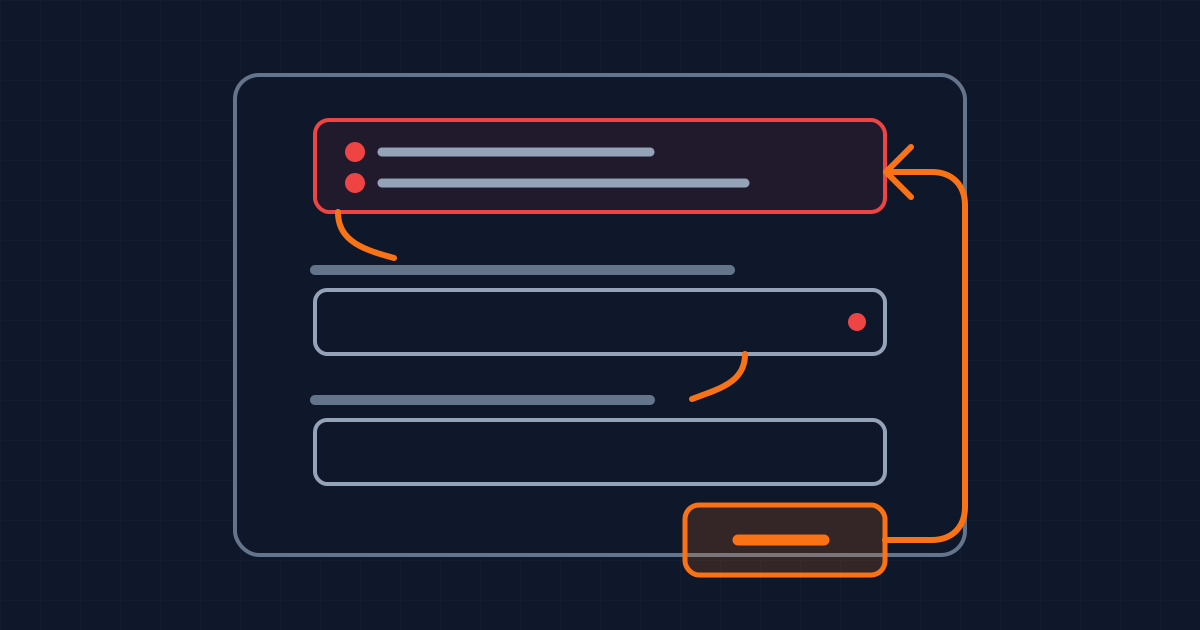
A blocked button removes the diagnostic action
Disabling Submit until every field looks valid seems protective. It prevents an invalid request and gives the interface a simple state: incomplete means unavailable. The cost is that the user loses the clearest action for asking the product what is wrong.
As checked on 6 October 2026, the HTML Standard defines two relevant effects. A disabled form control prevents queued click events from being dispatched, and it is barred from constraint validation. If the submit control is disabled, the browser cannot turn the attempted submission into a validation event. The product has removed its own diagnostic trigger.
This is not only an accessibility concern. A person can miss a required field below the fold, misunderstand an accepted format, or see a value that looks complete while the application's parser rejects it. A gray button communicates that continuation is unavailable, but usually not why.
The stronger contract is simple: let the user attempt the action, validate at that boundary, and return a precise route to every problem. The server still decides whether the request is acceptable. The interface decides whether failure is understandable and recoverable.
Keep the action available and validate on submit
Submit is a useful moment because the user's intent is unambiguous. They are asking to continue. At that point the client can run the same visible rules across the whole form, move attention to the result, and preserve everything already entered.
Use native constraints where they express the real requirement: required, an appropriate input type, minlength, maxlength, or a defensible pattern. Use custom validation when the rule crosses fields or depends on domain data. In both cases, keep server-side validation authoritative. Client code can improve feedback, but it cannot protect an endpoint from a modified request.
Do not wait until submit to provide every hint. The WCAG 2.2 guidance for labels or instructions says inputs should have labels or instructions when the content requires user input. Put unusual formats, password rules, units, and required status next to the field before the person has to fail.
Inline validation can help after a field has been visited, particularly when a correction becomes valid. Avoid declaring an untouched field wrong on page load. That turns an empty form into a wall of errors before the user has acted. It also conflicts with the W3C technique for aria-invalid, which says not to set it to true before validation has been performed.
Return an error map, not a color change
When validation fails, identify the fields and describe each error in text. That is the core of WCAG 2.2 Success Criterion 3.3.1. A red border alone can show that something changed without telling the user what value the system expected.
For a form with several fields, render an error summary above it. Give the summary a heading, move keyboard focus to it, and make each message a link to the relevant field. The GOV.UK error summary pattern uses exactly that structure and keeps the summary wording consistent with the inline messages. Consistency matters: two descriptions for the same failure make the user compare the product with itself.
At the field, add the message next to the input and connect it programmatically. The W3C ARIA21 technique demonstrates aria-invalid="true" for a failed field and aria-describedby pointing to its error text. Clear aria-invalid when the value passes validation, and do not leave a stale error association after the message disappears.
Focus management is part of the error model. Moving focus to the summary gives a keyboard or screen-reader user the scale of the problem and a route through it. Linking every summary item avoids a manual search. After the link moves focus to a field, its label, current value, hint, and error should provide enough context to make a correction.
Separate validation state from request state
There is one moment when disabling Submit can be useful: after a valid submission has started and a duplicate request would be harmful. That is a request state, not a validation state.
Make the transition observable. Change the visible label or add nearby status text, expose progress through an appropriate live region when needed, and retain focus predictably. If the request fails, re-enable the action, keep the entered values, and show the server error in the same error system. A button that remains disabled after a network failure creates a dead end.
Do not rely on the disabled button as the only duplicate-submission control. Networks retry, users open multiple tabs, and clients can call an endpoint directly. Use an idempotency key or another server-side deduplication strategy when the operation requires it.
Model the component with distinct states: editing, submitted with validation errors, submitting, failed, and succeeded. Each state should define whether the action is available, where focus goes, which message is announced, and whether the user's values remain. This is easier to test than a collection of conditions that happen to change the button's opacity.
Test the failure path as a product path
A form is not complete when the happy path submits. Review it with an empty required field, a malformed value, a domain rule that only the server knows, a slow request, and a failed request. Repeat with keyboard navigation and at a narrow viewport where the invalid field may sit outside the visible area.
Check that Enter can submit from a text field when that behavior is appropriate. Check that the first validation failure produces a visible and programmatic result. Follow every summary link. Correct one error and confirm the other errors remain accurate. Submit again without losing values. Then make the request fail and verify that the action becomes available again.
Instrument the boundary without treating telemetry as proof of usability. Repeated validation failures on one field can reveal unclear instructions. Abandonment after a disabled state can reveal a dead end. Neither metric explains the cause by itself, so pair it with session review, support evidence, or moderated testing that respects user privacy.
What this does not change
An enabled Submit button is not a license to send obviously incomplete data to the server on every keystroke. Validation can still run locally, and the request should only leave the browser after the client-side checks pass.
It is also not a universal ban on gated progression. A step may be genuinely unavailable until a prerequisite operation finishes or a required external choice exists. In that case, explain the unmet condition next to the action, keep the explanation perceivable without hover, and make the route to resolution explicit.
The narrower rule is more useful: do not use a disabled submit control to hide validation. Let the user express intent, turn failure into a clear error map, preserve their work, and reserve temporary disabling for a request that is actually in flight.
Written by Dandelion Labs