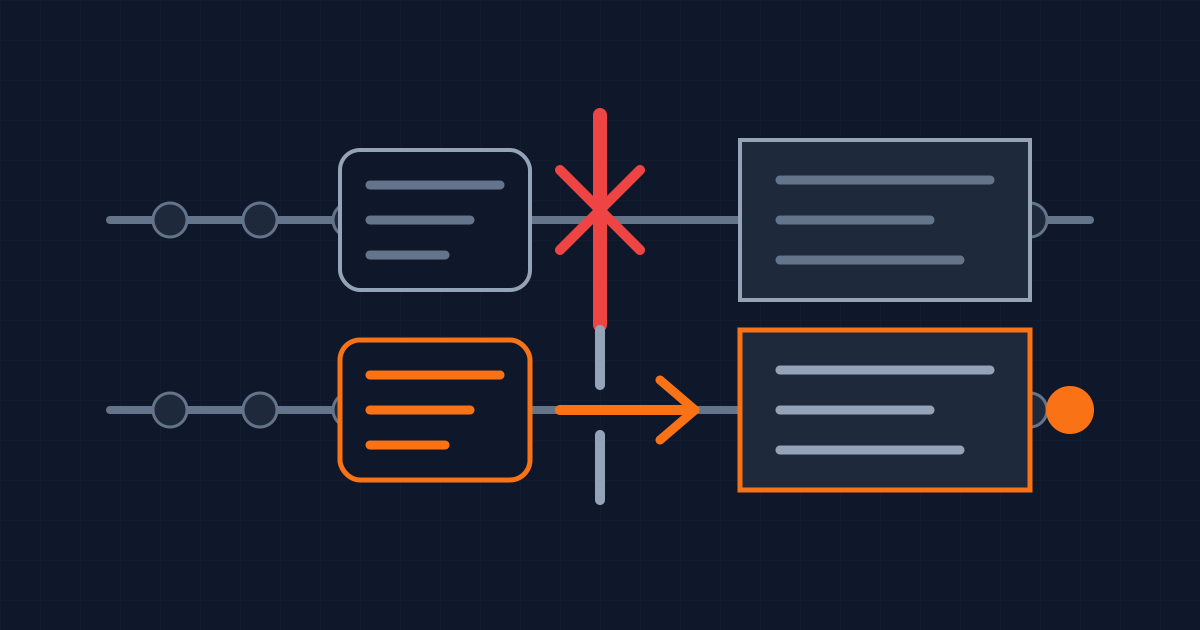
A healthy production site can hide a blocked release
Vercel will disable Node.js 20 for builds and functions on 1 October 2026. Its deprecation notice makes an important distinction: existing serverless deployments keep running, but a project still configured for Node 20 will fail when somebody creates a new deployment.
That makes the deadline easy to misunderstand. There may be no production incident on 1 October. Monitoring can stay green, customers can keep using the current version, and the team can assume nothing changed. The failure appears later, when a routine fix, rollback, configuration change or security release needs a new build.
As checked on 24 September 2026, the Node.js release table lists Node 20 as end-of-life. Node 22 and Node 24 are LTS releases. Vercel is therefore removing a managed runtime after the upstream project stopped supporting it, not ending an actively supported Node line early.
The operational consequence is simple: treat this as a release-readiness problem. Changing a version selector is only the first step. The useful result is a tested deployment that can be promoted, rolled back and rebuilt under the supported runtime.
Find every place that selects the runtime
Vercel says the runtime can be set in Project Settings or through the engines field in package.json. Its notice also provides vercel project ls --update-required for finding affected projects. Start there, then inspect the repository and delivery system for other pins.
A project can name Node in .nvmrc, .node-version, a container base image, a GitHub Actions setup step, a monorepo package, or an internal build image. These declarations do not automatically agree. A developer may test with Node 24 while CI still uses 20. A Vercel setting may say 22 while package.json overrides it on the next deployment.
Write down which declaration owns each environment: local development, pull-request checks, production builds, background jobs and any separate worker. Remove accidental disagreements instead of merely changing the first value found. If an old pin remains intentional, record who owns it and when it will be removed.
For organisations with several Vercel projects, inventory by project rather than by repository. One repository can deploy multiple applications with different settings. Conversely, a shared package may affect several projects even though its own code is not deployed directly.
Test the upgrade as a dependency change
Moving from Node 20 to 22 or 24 changes more than process.version. The runtime includes a newer V8 engine, standard library and native interface behaviour. Dependencies may also choose different code paths according to the detected Node version.
Install dependencies from a clean checkout using the same package-manager version and lockfile that CI uses. Run lint, type checks, unit tests and the production build. Then exercise the boundaries most likely to hide runtime assumptions: authentication callbacks, file uploads, scheduled jobs, image generation, email rendering, database migrations and any code that calls native modules.
Node 22's original release notes, for example, list semver-major changes including removal of import assertions and changes to crypto APIs. That does not mean every Node 20 application will break. It means a passing development server is not enough evidence for a production migration.
Native add-ons deserve a separate check. A package that downloads or compiles a binary can pass on one laptop and fail in the hosted Linux build. Inspect the clean Vercel build log rather than accepting a local cache as proof. If the application uses no native add-ons, record that fact and move on instead of inventing a risk.
Prove the release path before the deadline
Deploy the supported runtime to a preview environment while the existing production deployment still runs. Confirm the runtime in the deployed function, not only in a configuration file. Vercel's notice recommends checking process.version, which gives direct evidence about the environment serving the request.
Run a small release checklist against the preview: an unauthenticated page, an authenticated path, one read and one write to each critical data store, a background or scheduled action, and the error path for an external dependency. Use the application's real critical paths rather than copying this list mechanically.
Then test the rollback you actually have. Rolling back to an already deployed Node 20 build may continue to work because Vercel says existing deployments are unaffected. Rebuilding the same commit after the cutoff is different: it creates a new deployment and therefore cannot rely on Node 20. Preserve the distinction in the incident runbook.
That detail changes how teams should prepare. A known-good deployment is a temporary safety net, not a reproducible build strategy. If production needs a security fix after 1 October, the supported-runtime branch must already be capable of shipping it.
Use containers only as an explicit temporary exception
Vercel documents a container route for teams that cannot complete the runtime upgrade before the deadline. A project can keep a Node 20 base image because Project Settings do not control the Node version inside that image.
This avoids the managed-runtime block, but it transfers responsibility. Vercel explicitly notes that the team manages the container's Node version and security updates. Since Node 20 is already end-of-life, a container is not equivalent to remaining on a supported managed runtime.
Use that route only with an owner, an expiry date and a tracked migration. Record the image digest, deployment test and patching plan. Without those controls, the workaround turns a visible deadline into an invisible maintenance obligation.
What this does not change
The cutoff does not stop existing Node 20 serverless functions on 1 October, according to Vercel. It does not prove that an application is vulnerable, and upgrading the runtime does not prove that the application is secure.
It also does not require every team to choose the newest Current release. Node's release guidance says production applications should use Active LTS or Maintenance LTS versions. The correct target depends on framework and dependency support, but it should be an explicitly supported line.
The useful acceptance condition is narrower and testable: the project can produce a clean hosted build on its chosen supported runtime, critical preview paths work, the runtime is verified in the deployed function, and the team understands what can and cannot be rolled back. That is what keeps an ordinary patch from discovering the platform deadline for you.
Written by Dandelion Labs